The Halloween party, in one video.
Every costume deserves its moment. A recap slideshow the morning after gives everyone theirs, and gets passed around the group chat all day.
Humble Video makes it quickly: pick the photos and clips, add a spooky song of your own, and export a vertical video for sharing.

Free to try · Plus is $8.99, once
How to make it in Humble Video
- 1
Pick your photos
Tap New slideshow and choose photos (and video clips, with Plus) in the iPhone photo picker. Humble Video only sees the ones you pick.
- 2
Put them in order
Go costume by costume, then the party, then the candy haul. Open with a title card: "Halloween 2026".
- 3
Choose a song and export
A song is already chosen; change it if you like. Tap Export, and the video is saved to your Photos, ready to share or play on a TV.
Settings that suit it
Suggestions, not rules. Every setting can be changed any time.
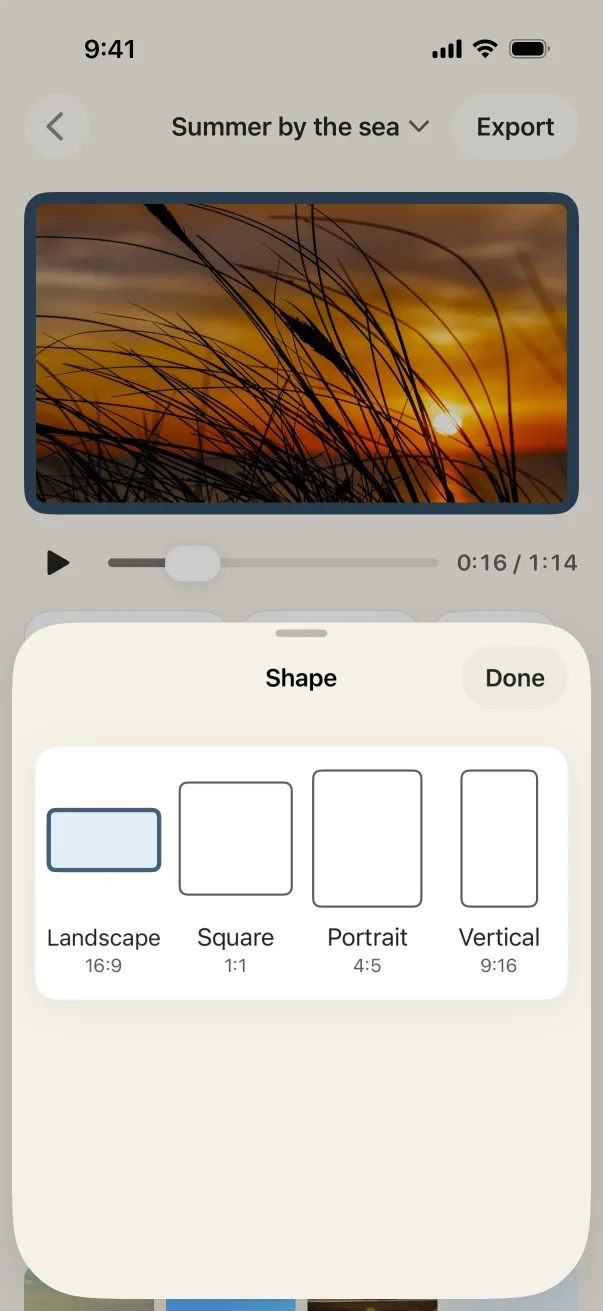
- Shape
- Vertical for Stories and the group chat
- Each photo
- 2 to 3 seconds, quick and lively
- Transition
- Slide
- Music
- Yippee!, or a spooky track of your own from Files
A few tips
- Short and quick works best: 20 to 30 photos at 2 to 3 seconds.
- Add the best scream or laugh as a short clip with its sound on (Plus).
- The six included songs are cheerful rather than spooky; for scary music, add your own audio file.
Questions
Are there Halloween effects or filters?
No. Humble Video is about your photos, with soft transitions and gentle motion. The costumes do the work.
Can I post it on Instagram or TikTok?
Yes. Choose vertical and the video fits Stories, Reels and TikTok. The included songs are in the public domain, so they're free to share anywhere.
Is Humble Video free?
Free to try: up to 10 photos in a slideshow, every look and all the music, in 1080p with a small Humble Video mark. Humble Video Plus is $8.99, once, for video clips, unlimited photos and slideshows, 4K and no mark. No subscription. See pricing.
Are my photos uploaded?
No. The video is made on your iPhone or iPad. No account, no tracking, nothing uploaded. Privacy policy.

Make yours in a few minutes.
On iPhone and iPad. Free to try.