Slideshow maker for iPhone and iPad
Your photos, made into a movie.
Pick your photos and clips, choose a song, and Humble Video turns them into a video with gentle motion and soft transitions. It looks lovely before you change a thing, and it takes about two minutes.

Free to try · Plus is $8.99, once
- No subscription
- No ads
- No account
- Nothing uploaded

How it works
Two screens. No timeline.
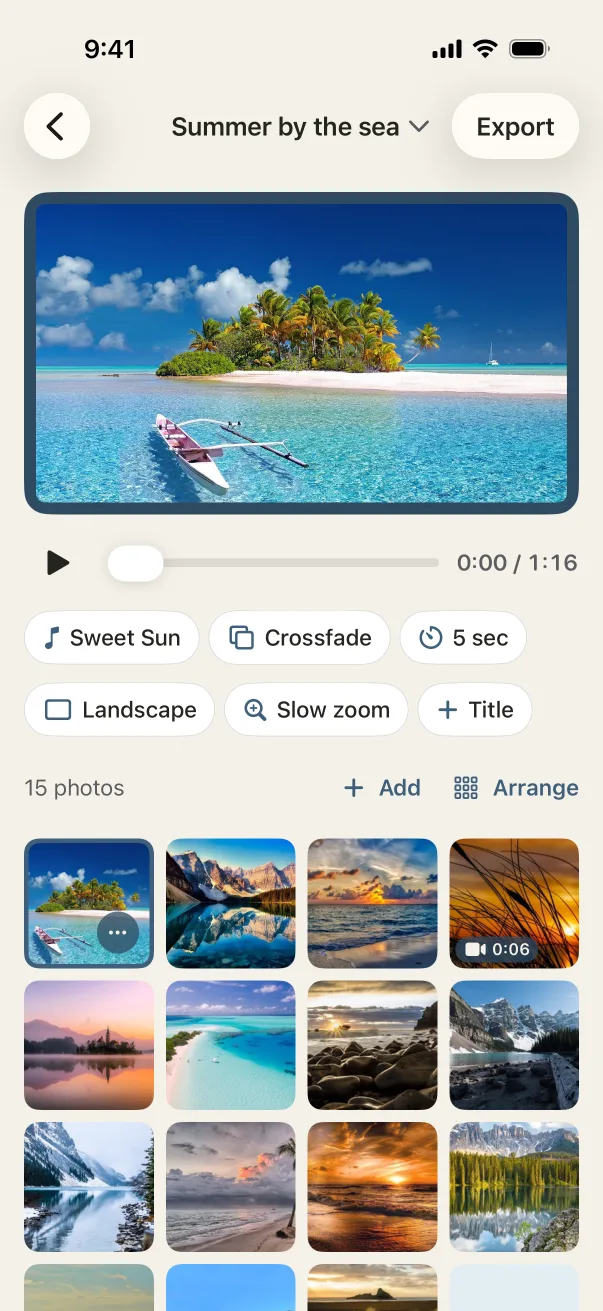
Your slideshows, and the one you're making. That's the whole app, so there's nothing to learn first.
- 1
Pick your photos
Choose photos and video clips with the iPhone photo picker. Humble Video only sees the ones you pick.
- 2
Put them in order, pick a song
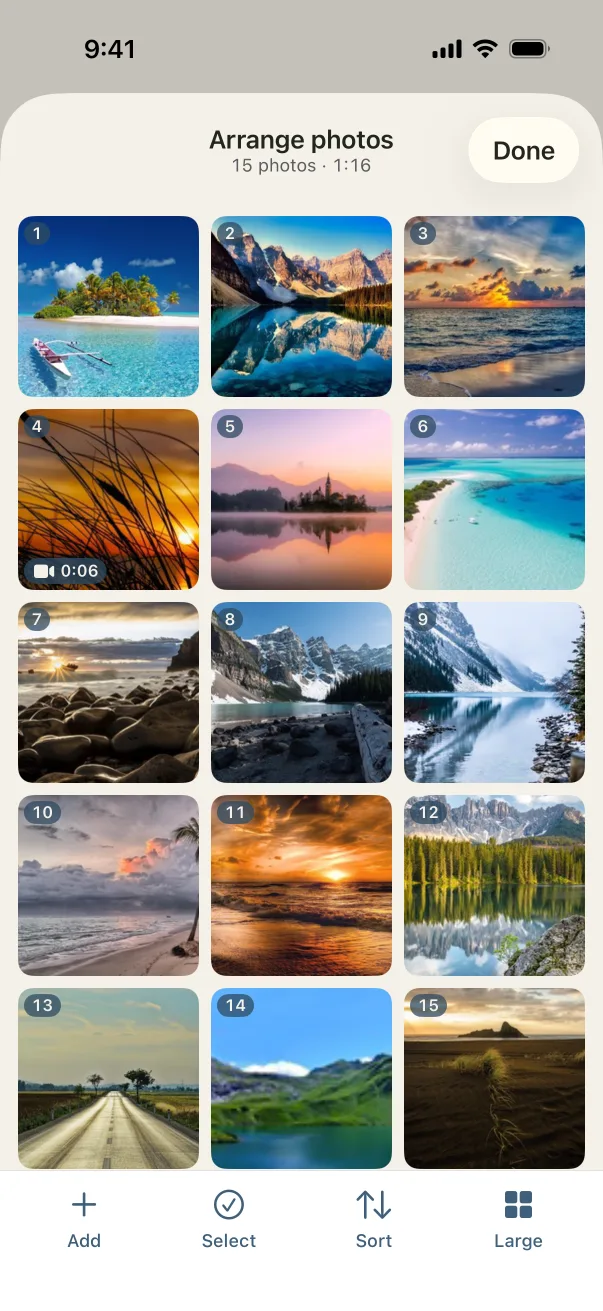
Drag them into place or sort by date. A song is already chosen; change it if you like.
- 3
Export
Tap Export and your video is saved to Photos, ready to share anywhere.
The finished video
Looks lovely from the start.
A title card, soft transitions, and a slow zoom that drifts toward the faces in each photo. Tall and wide photos are shown whole over a blurred copy of themselves, so there are never black bars. And the music fades out right on time.
Music
Music included, or bring your own.
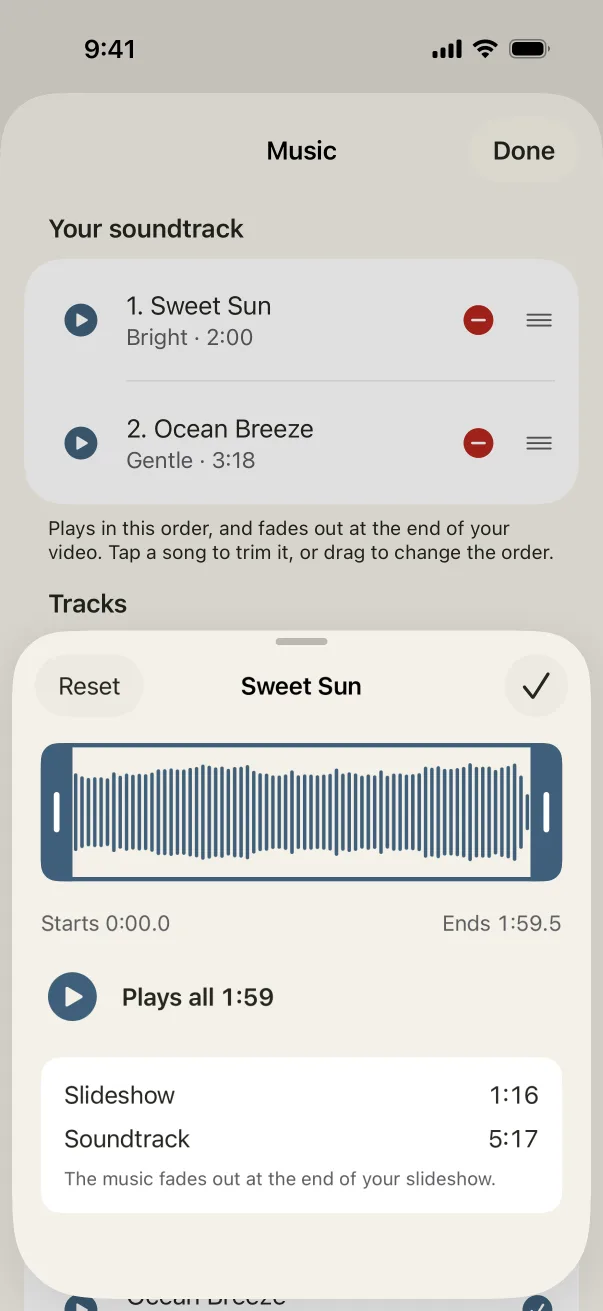
Six bright, easygoing tracks come with the app, or add your own audio files. Play several songs back to back, and trim any song to just the part you love.
The included music is in the public domain, so your video can go on YouTube, Instagram or anywhere else.
Video clips
Photos and video clips, together.
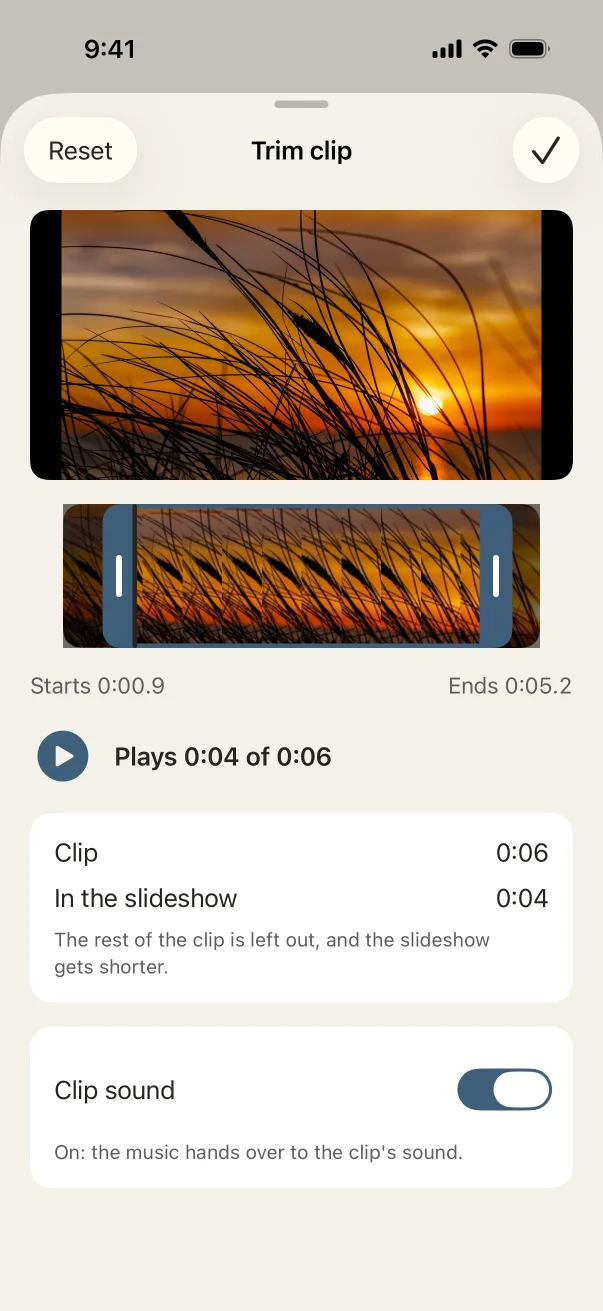
Mix video clips in with your photos. Each keeps its own sound; the music steps aside and comes back after.
Trim a clip to its best few seconds, or mute it and let the music play through.
With Plus
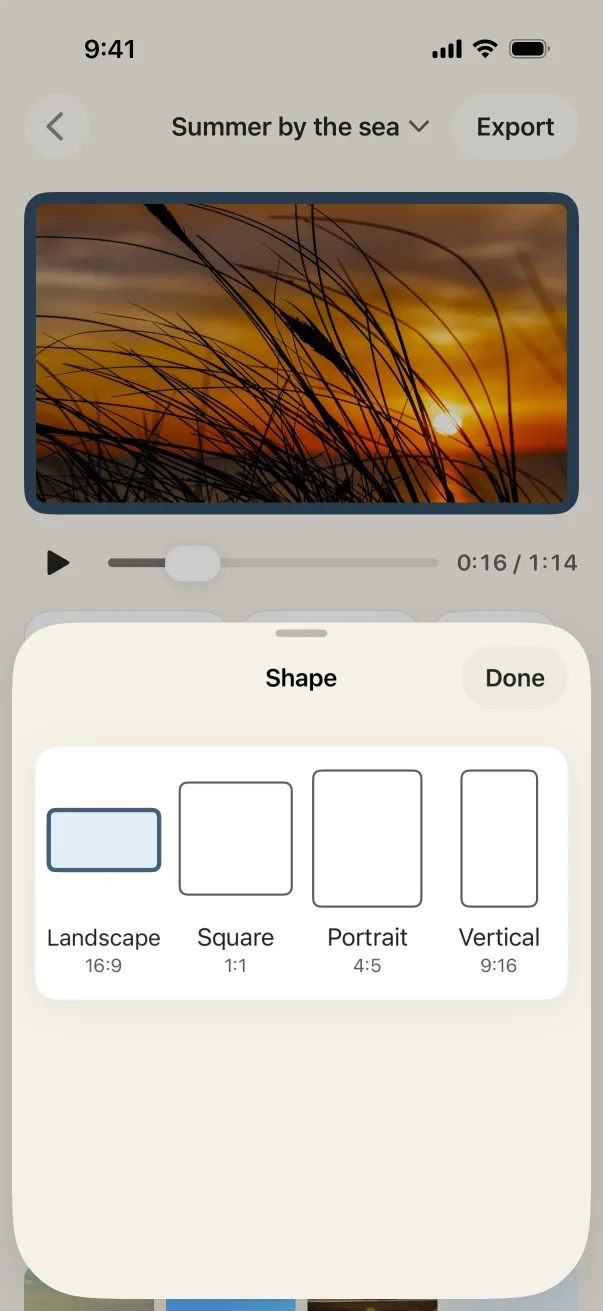
Shapes
Any screen: TV, posts, Stories and Reels.
Landscape for the TV, square or portrait (4:5) for posts, vertical for Stories and Reels. Change it any time and the slideshow follows.
Add a title card to open your video and an end card to close it.
Done
Saved straight to Photos.
When the export finishes, your video is already in your photo library, ready to send, post or play on the TV.
Every slideshow is saved as you go. Come back any time to add photos, change the song, and export again.


Private by design
100% private. It all stays on your phone.
Your slideshow is made on your iPhone or iPad. There's no account and no sign-up, no tracking, no analytics and no uploads. Humble Video only sees the photos you pick, and keeps their date, not their location.

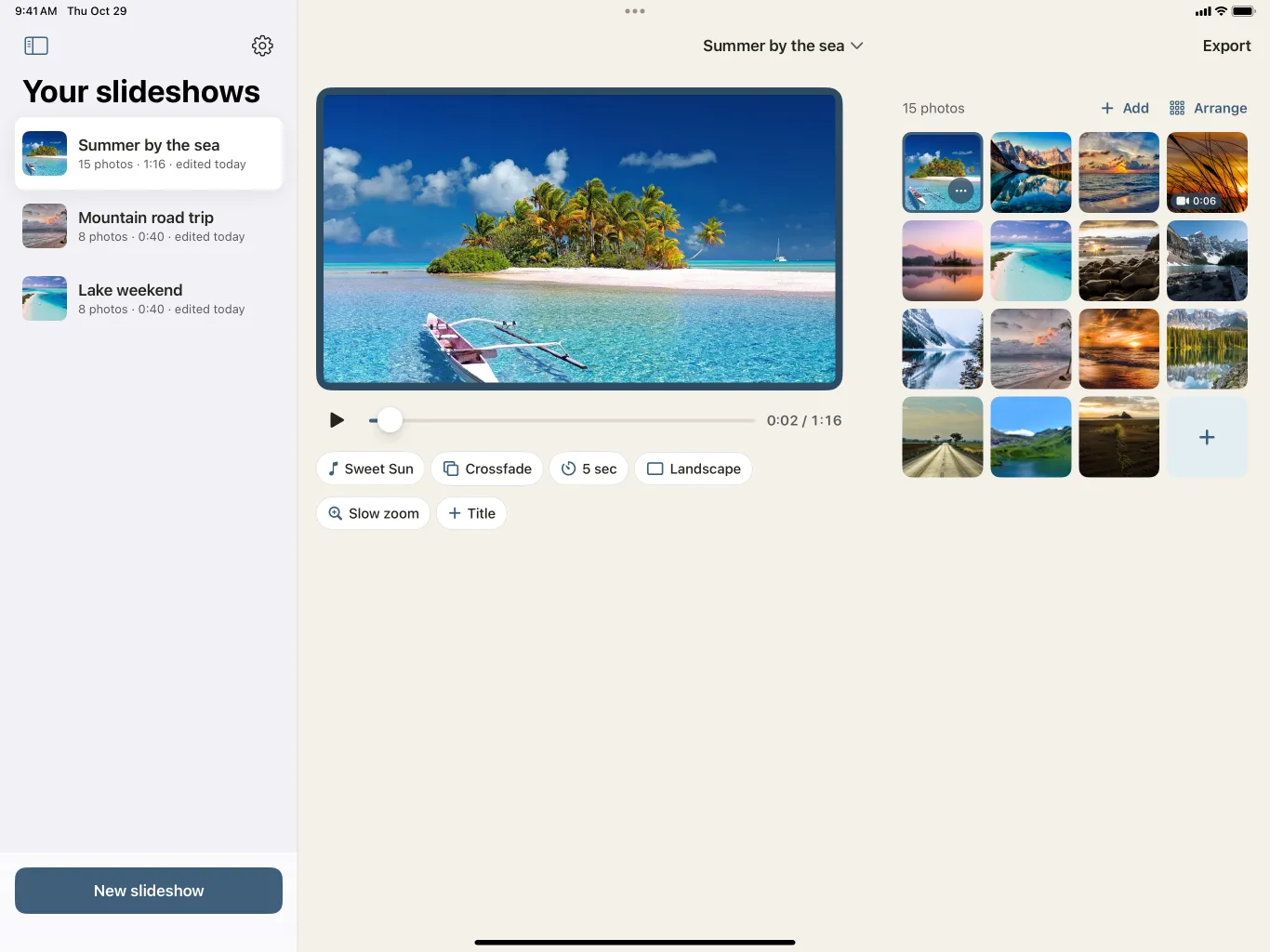
Roomy on iPad.
Your slideshows on the left, the one you're making on the right. Plus works on both your iPhone and iPad.
Pricing
Free to try. One payment for everything.
No subscription, no ads, and no trial that runs out. Use it free for as long as you like.
Free
For your first slideshow
$0
- Up to 10 photos in a slideshow
- One saved slideshow at a time
- Every look: transitions, slow zoom, shapes, title and end cards
- All the music, and your own songs
- 1080p video with a small Humble Video mark
Humble Video Plus
Everything, for good

$8.99once
- Everything in Free, plus:
- Video clips, trimmed or muted
- Unlimited photos and slideshows
- 4K export
- No watermark
- Family Sharing included
Bought in the app, through the App Store. No subscription and nothing renews.
Questions, answered.
Is it really no subscription?
Really. Humble Video is free to try, and Humble Video Plus is $8.99, once. You pay one time and it's yours, on every iPhone and iPad signed in with your Apple Account. Nothing renews.
What can I do for free?
Make a slideshow of up to 10 photos with every look and every music feature, and export it in 1080p. Free videos have a small Humble Video mark in the corner. Plus adds video clips, unlimited photos and slideshows and 4K, and removes the mark.
Does it upload my photos?
No. Your slideshow is made on your iPhone or iPad, and nothing is sent to us or anyone else. There is no account, no tracking and no analytics. The App Store privacy label says Data Not Collected.
Can I post my videos on YouTube or Instagram?
Yes. The included songs are in the public domain, so you can share your video anywhere. If you add your own music, the usual rules for that music apply.
How many photos can a slideshow have?
Up to 10 for free. With Plus there is no limit. Each photo can stay on screen from 2 to 15 seconds.
Does Plus work on my iPad, and for my family?
Yes. Buy it once and it works on your iPhone and iPad. Family Sharing is on, so up to five family members get it too. If you reinstall, tap Restore purchase in Settings.
What does the finished video look like?
An MP4 in 1080p, or 4K with Plus, in landscape, square, portrait (4:5) or vertical. It plays anywhere and is saved straight to your Photos library.
What do I need?
An iPhone or iPad with iOS 18 or later. Making a video needs no internet connection.
Something else? We're glad to help.

Make your first slideshow tonight.
Free to try on iPhone and iPad. When you want more, Plus is $8.99, once.