Your trip, made into a movie.
You took hundreds of photos and they're sitting in your camera roll. Humble Video turns the best of them into a short travel movie you'll actually watch again.
Pick the photos and a few clips, choose a song, and export. The slow zoom gives landscapes a sense of movement, and wide panoramas are shown whole.

Free to try · Plus is $8.99, once
How to make it in Humble Video
- 1
Pick your photos
Tap New slideshow and choose photos (and video clips, with Plus) in the iPhone photo picker. Humble Video only sees the ones you pick.
- 2
Put them in order
Sort by date taken so the trip plays in order, then move a few favorites to the start and the end.
- 3
Choose a song and export
A song is already chosen; change it if you like. Tap Export, and the video is saved to your Photos, ready to share or play on a TV.
Settings that suit it
Suggestions, not rules. Every setting can be changed any time.
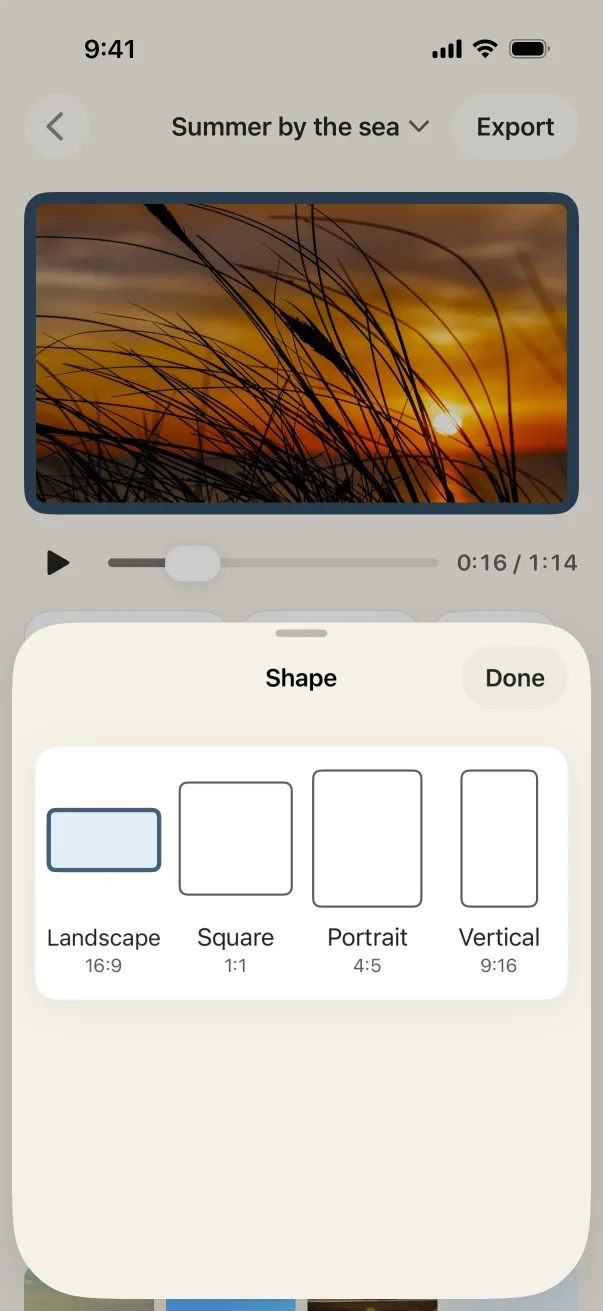
- Shape
- Landscape for the TV, vertical for Stories
- Each photo
- 3 to 4 seconds, to keep it moving
- Transition
- Slide or crossfade
- Music
- Go to the Picnic or Sweet Sun
A few tips
- Choose one photo per moment. Three nearly identical sunsets slow a video down; one great one sings.
- Add short clips of waves, streets or the view from the train, trimmed to a few seconds (Plus).
- Name the trip on the title card: "Lisbon, June 2026".
Questions
Do panoramas and vertical photos work?
Yes. Photos that don't fit the frame are shown whole over a soft, blurred copy of themselves, so nothing is cropped awkwardly and there are no black bars.
Can I do this while still traveling?
Yes. Making a video needs no internet connection, so it works on the plane home.
Is Humble Video free?
Free to try: up to 10 photos in a slideshow, every look and all the music, in 1080p with a small Humble Video mark. Humble Video Plus is $8.99, once, for video clips, unlimited photos and slideshows, 4K and no mark. No subscription. See pricing.
Are my photos uploaded?
No. The video is made on your iPhone or iPad. No account, no tracking, nothing uploaded. Privacy policy.

Make yours in a few minutes.
On iPhone and iPad. Free to try.