From first day to graduation day.
A graduation slideshow is a small miracle of time: the kindergarten backpack, the braces, the driving test, the cap and gown. Put them in order and it tells itself.
Humble Video makes it in minutes, and plays it on the TV at the party or the projector at the banquet.

Free to try · Plus is $8.99, once
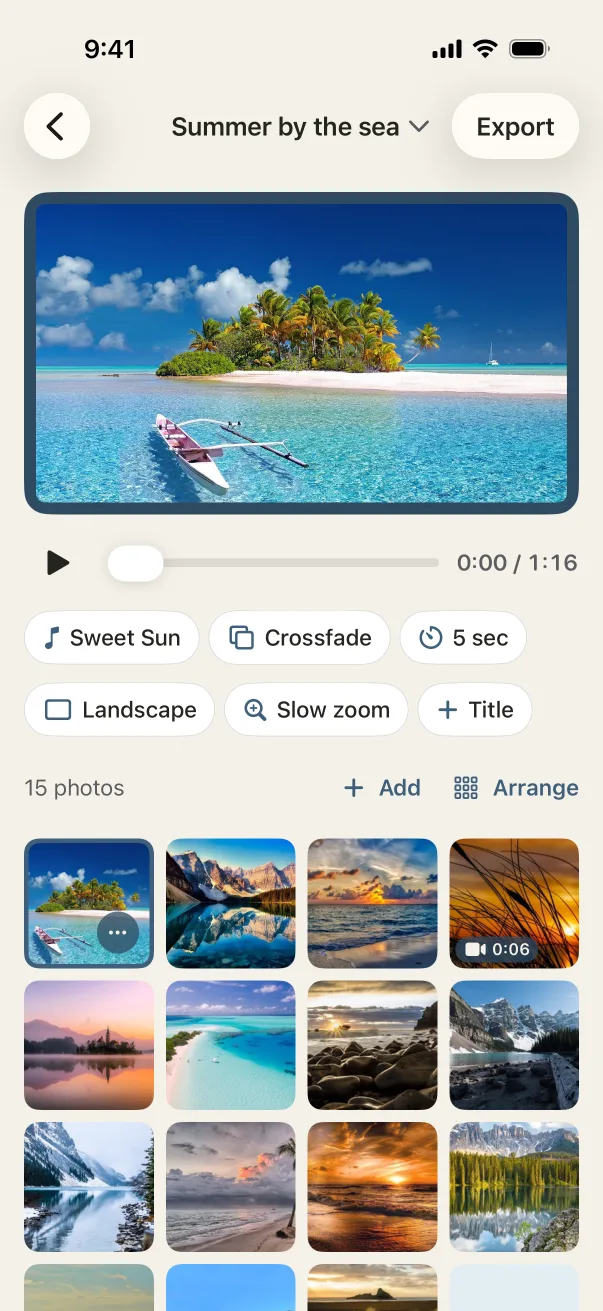
How to make it in Humble Video
- 1
Pick your photos
Tap New slideshow and choose photos (and video clips, with Plus) in the iPhone photo picker. Humble Video only sees the ones you pick.
- 2
Put them in order
Sort by date taken, from the earliest photo to graduation day. Add a title card: "Congratulations, Maya! Class of 2027".
- 3
Choose a song and export
A song is already chosen; change it if you like. Tap Export, and the video is saved to your Photos, ready to share or play on a TV.
Settings that suit it
Suggestions, not rules. Every setting can be changed any time.
- Shape
- Landscape for the party TV
- Each photo
- 4 seconds
- Transition
- Crossfade
- Music
- Sweet Sun, then Yippee! for the last stretch
A few tips
- One photo per school year makes a lovely spine; fill in around it.
- Scan or photograph the old prints of early years.
- Teams and schools often ask for a few photos from each family; a short vertical video is easy to send.
Questions
Can it play at a senior banquet?
Yes. Export in landscape at 1080p, or 4K with Plus, and hand it to whoever runs the projector. It plays anywhere an MP4 plays.
Can I add the graduate's name?
Yes, on the title card at the start and the end card at the end.
Is Humble Video free?
Free to try: up to 10 photos in a slideshow, every look and all the music, in 1080p with a small Humble Video mark. Humble Video Plus is $8.99, once, for video clips, unlimited photos and slideshows, 4K and no mark. No subscription. See pricing.
Are my photos uploaded?
No. The video is made on your iPhone or iPad. No account, no tracking, nothing uploaded. Privacy policy.

Make yours in a few minutes.
On iPhone and iPad. Free to try.