A memorial slideshow, made gently.
When you're putting together photos of someone you've lost, the last thing you need is a complicated editor. Humble Video turns the photos you choose into a calm, dignified video with gentle motion and music, in a few minutes.
Everything happens on your phone. The photos stay with you, and the finished video goes straight to your Photos library, ready for the service, the reception or the family group chat.

Free to try · Plus is $8.99, once
How to make it in Humble Video
- 1
Pick your photos
Tap New slideshow and choose photos (and video clips, with Plus) in the iPhone photo picker. Humble Video only sees the ones you pick.
- 2
Put them in order
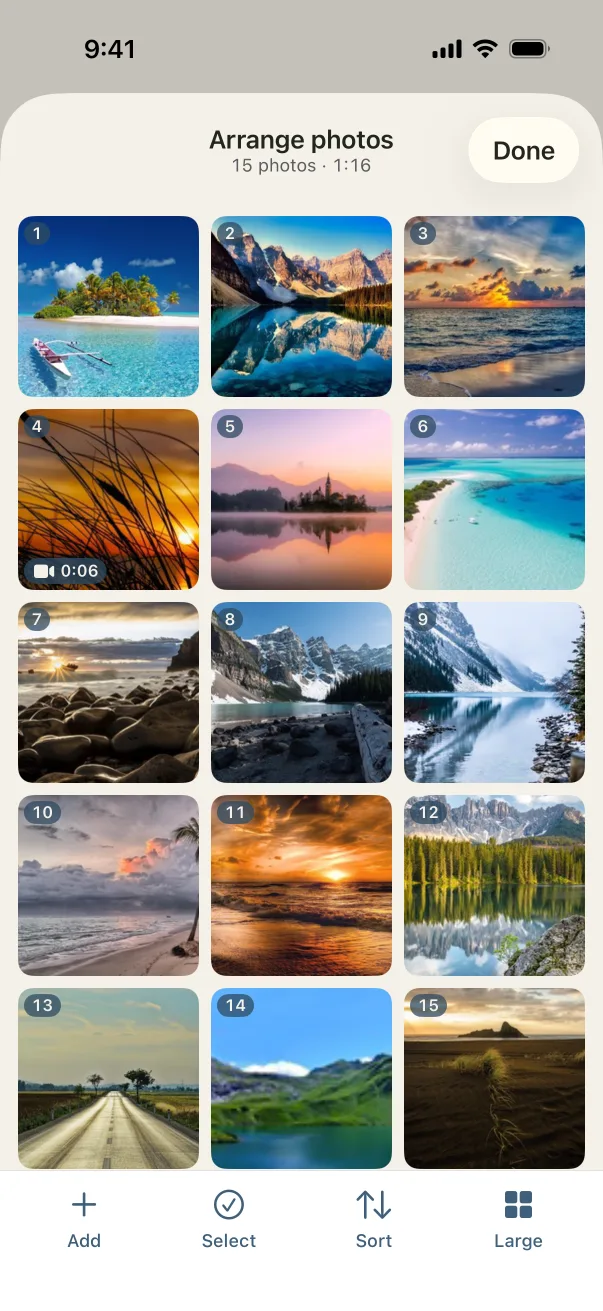
Put the photos in the order of their life, or sort them by the date they were taken. Add a title card with their name and dates.
- 3
Choose a song and export
A song is already chosen; change it if you like. Tap Export, and the video is saved to your Photos, ready to share or play on a TV.
Settings that suit it
Suggestions, not rules. Every setting can be changed any time.
- Shape
- Landscape, for the screen at the service
- Each photo
- 6 to 8 seconds, so people have time to look
- Transition
- Fade through black, quiet and unhurried
- Music
- Ocean Breeze or Bubbles, or a song they loved
A few tips
- Gather photos from family first. Ask everyone to send a few favorites, then pick from all of them.
- Mix the decades: a childhood photo, then their wedding, then them with the grandchildren. The story carries itself.
- End with a card: "Forever in our hearts", or simply their name. The end card sits over the last photo.
- Old prints work too. Photograph them with your phone in soft daylight and they go in like any other photo.
Questions
How long should a memorial slideshow be?
Most are 5 to 10 minutes, the length of two or three songs. At 6 seconds a photo, 60 photos make 6 minutes. Humble Video shows the length as you go, and the music fades out when the photos end.
Can I play it at the funeral home?
Yes. It's a standard MP4 in 1080p, or 4K with Plus, which plays on a TV, a laptop or a venue's projector. Bring it on your phone, a USB stick, or send it to the venue ahead of time.
Is Humble Video free?
Free to try: up to 10 photos in a slideshow, every look and all the music, in 1080p with a small Humble Video mark. Humble Video Plus is $8.99, once, for video clips, unlimited photos and slideshows, 4K and no mark. No subscription. See pricing.
Are my photos uploaded?
No. The video is made on your iPhone or iPad. No account, no tracking, nothing uploaded. Privacy policy.

Make yours in a few minutes.
On iPhone and iPad. Free to try.