How to make a funeral slideshow on your iPhone.
Often there are only a few days between a loss and the service, and the slideshow lands on someone who has never made a video. This guide walks through it on an iPhone, start to finish, in an evening.
Humble Video is built for exactly this: two screens, no timeline, and a result that looks right before you change anything.

Free to try · Plus is $8.99, once
How to make it in Humble Video
- 1
Pick your photos
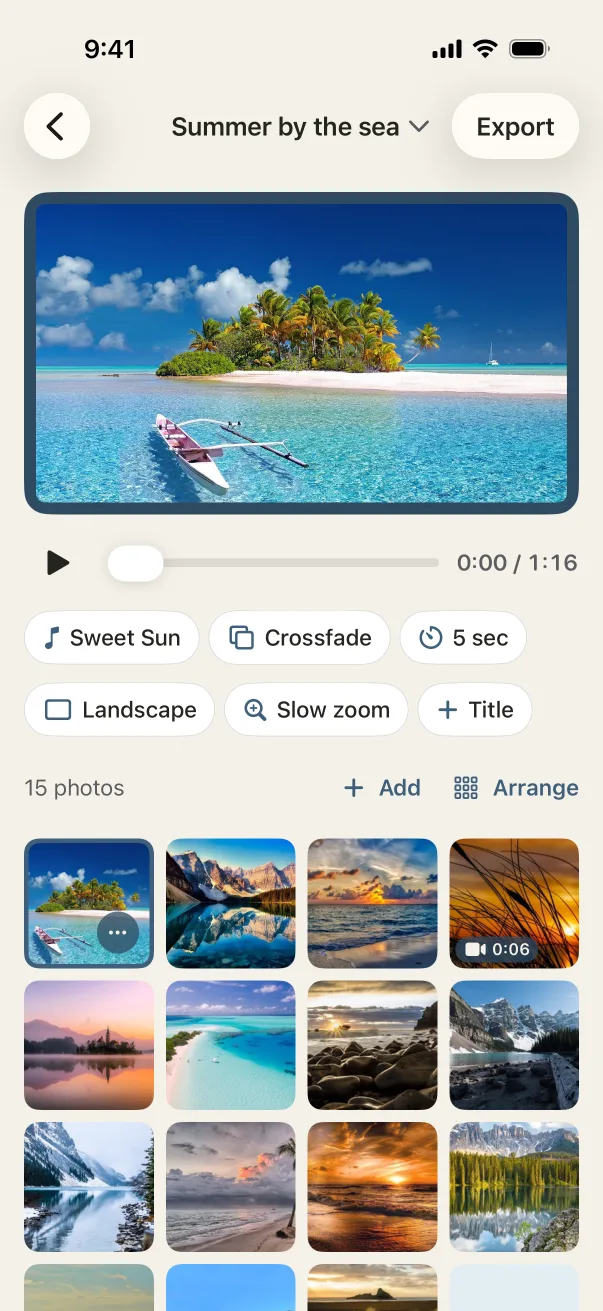
Tap New slideshow and choose photos (and video clips, with Plus) in the iPhone photo picker. Humble Video only sees the ones you pick.
- 2
Put them in order
Drag the photos into order, or open Arrange to see them all numbered. Add a title card with their name, and an end card if you like.
- 3
Choose a song and export
A song is already chosen; change it if you like. Tap Export, and the video is saved to your Photos, ready to share or play on a TV.
Settings that suit it
Suggestions, not rules. Every setting can be changed any time.
- Shape
- Landscape, for the TV or projector
- Each photo
- 6 to 8 seconds per photo
- Transition
- Crossfade or fade through black
- Music
- Ocean Breeze, or a hymn or song of theirs from Files
A few tips
- Ask the funeral home how they play videos (TV, projector, laptop) and whether they want a file ahead of time.
- Choose 40 to 80 photos for a 5 to 10 minute slideshow. More than that and people stop looking.
- Watch it once all the way through on your phone before the day. Reorder anything that feels out of place.
- Export a second copy in vertical for family to share on their phones afterward. Change the shape and export again; nothing else changes.
Questions
Can I use their favorite song?
Yes. Add any audio file you have from the Files app and trim it to the part you want. Several songs can play back to back. For a video shared publicly, the usual rules for that song apply; the six songs in the app are free to share anywhere.
Is it free?
You can make a slideshow of up to 10 photos for free. A funeral slideshow usually has more, so most families get Plus: $8.99 once, with no limit on photos, 4K and no watermark. No subscription.
Is Humble Video free?
Free to try: up to 10 photos in a slideshow, every look and all the music, in 1080p with a small Humble Video mark. Humble Video Plus is $8.99, once, for video clips, unlimited photos and slideshows, 4K and no mark. No subscription. See pricing.
Are my photos uploaded?
No. The video is made on your iPhone or iPad. No account, no tracking, nothing uploaded. Privacy policy.

Make yours in a few minutes.
On iPhone and iPad. Free to try.