Your year, in a few minutes.
A year in review is the easiest slideshow to make and one of the most loved. A few photos from each month, in order, set to music.
Humble Video sorts your photos by the date they were taken, so January comes first without any dragging.

Free to try · Plus is $8.99, once
How to make it in Humble Video
- 1
Pick your photos
Tap New slideshow and choose photos (and video clips, with Plus) in the iPhone photo picker. Humble Video only sees the ones you pick.
- 2
Put them in order
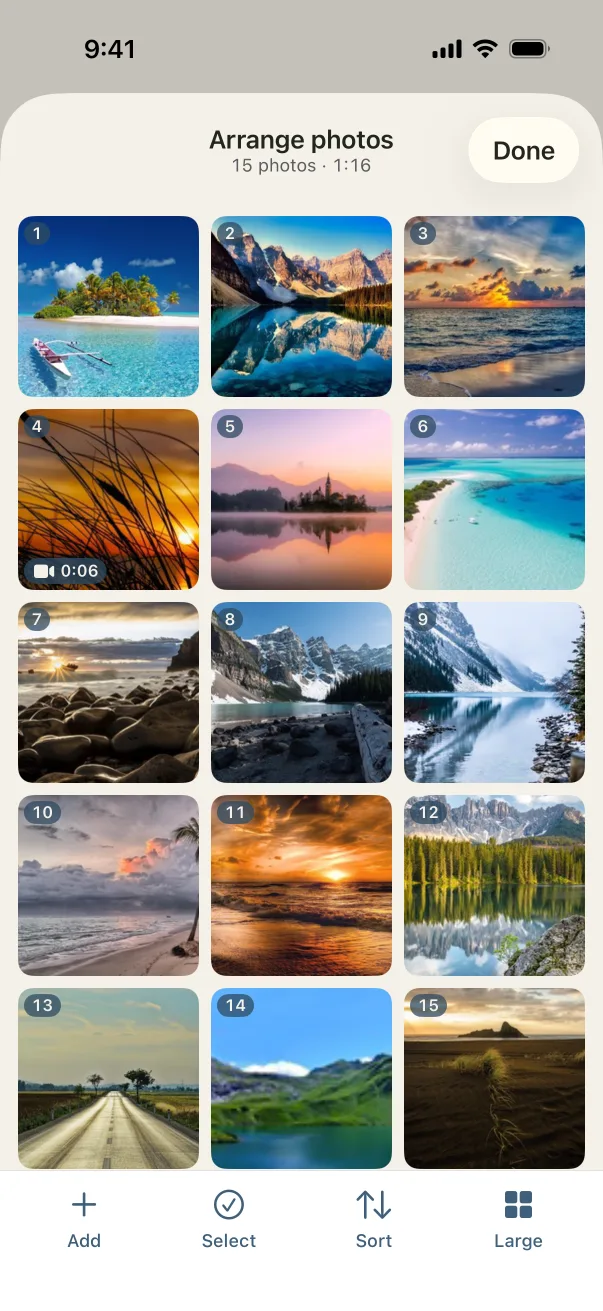
Pick two or three photos from each month, then tap Sort and choose date taken, oldest first.
- 3
Choose a song and export
A song is already chosen; change it if you like. Tap Export, and the video is saved to your Photos, ready to share or play on a TV.
Settings that suit it
Suggestions, not rules. Every setting can be changed any time.
- Shape
- Landscape, or vertical for the family chat
- Each photo
- 3 seconds, so a whole year fits in a song or two
- Transition
- Crossfade
- Music
- Projector Screen, then Sweet Sun
A few tips
- Aim for 30 to 50 photos. At 3 seconds each, that is about two minutes.
- Two songs back to back can split the year: a calm one for winter, a brighter one for summer.
- Use the end card for a wish: "Here's to next year".
Questions
How do I put the photos in date order?
In Arrange, tap Sort and choose "Date taken, oldest first". Humble Video keeps the date each photo was taken for exactly this.
How many photos can I use?
Up to 10 for free. A year usually needs more, and Plus removes the limit for $8.99, once.
Is Humble Video free?
Free to try: up to 10 photos in a slideshow, every look and all the music, in 1080p with a small Humble Video mark. Humble Video Plus is $8.99, once, for video clips, unlimited photos and slideshows, 4K and no mark. No subscription. See pricing.
Are my photos uploaded?
No. The video is made on your iPhone or iPad. No account, no tracking, nothing uploaded. Privacy policy.

Make yours in a few minutes.
On iPhone and iPad. Free to try.