A family reunion slideshow, every generation.
A reunion slideshow is where the great-grandparents meet the newest cousins. It is often the most talked-about part of the day.
Humble Video handles old scanned prints and new phone photos alike, shown whole without awkward crops.

Free to try · Plus is $8.99, once
How to make it in Humble Video
- 1
Pick your photos
Tap New slideshow and choose photos (and video clips, with Plus) in the iPhone photo picker. Humble Video only sees the ones you pick.
- 2
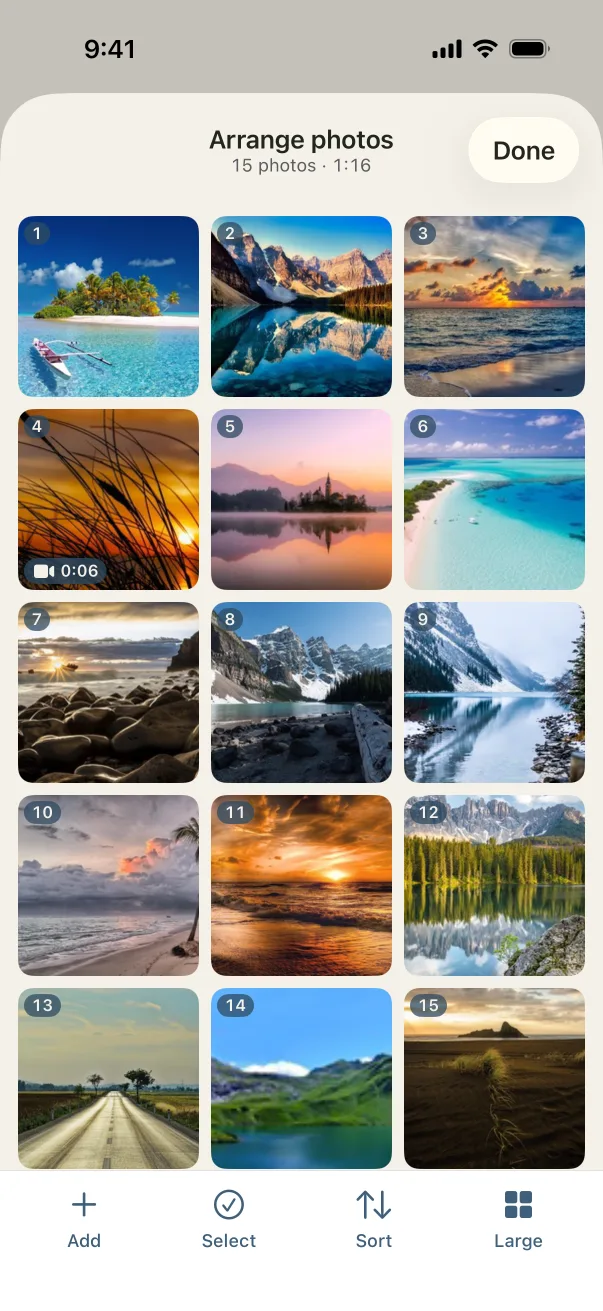
Put them in order
Go generation by generation, or branch by branch. Open with the family name on a title card.
- 3
Choose a song and export
A song is already chosen; change it if you like. Tap Export, and the video is saved to your Photos, ready to share or play on a TV.
Settings that suit it
Suggestions, not rules. Every setting can be changed any time.
- Shape
- Landscape for the hall
- Each photo
- 5 to 6 seconds, for the "who is that?" moments
- Transition
- Fade through black between generations, crossfade within
- Music
- Sweet Sun or Go to the Picnic
A few tips
- Collect photos ahead of time: ask each family to send their favorites.
- Photograph old prints in daylight by a window for the best results.
- Make a vertical copy for everyone to save on their phones after.
Questions
Will old, small scans look okay?
They'll look as good as the scan. Photos that don't fill the frame are shown whole over a soft blurred copy, so nothing is cropped and there are no black bars.
Can more than one person work on it?
Each slideshow lives on one device. Collect the photos to one phone or iPad, then make it there.
Is Humble Video free?
Free to try: up to 10 photos in a slideshow, every look and all the music, in 1080p with a small Humble Video mark. Humble Video Plus is $8.99, once, for video clips, unlimited photos and slideshows, 4K and no mark. No subscription. See pricing.
Are my photos uploaded?
No. The video is made on your iPhone or iPad. No account, no tracking, nothing uploaded. Privacy policy.

Make yours in a few minutes.
On iPhone and iPad. Free to try.